
Prescription Configuration
Section Purpose:
This documentation describes how to configure fields and ingredients for each prescription type in the system. This allows administrators to adapt a prescription to the needs of the facility by defining which ingredients or ingredient groups appear on each prescription.
Basic Information
Section titled “Basic Information”Prescription configuration consists of assigning ingredients or ingredient groups to specific fields on prescriptions. The system provides five prescription types that can be configured separately:
- RNI - Neonates Individual
- RNT - Neonates Intra-arterial Solution
- RDI - Adults Individual
- RDS - Adults Standard
- RDT - Adults Template
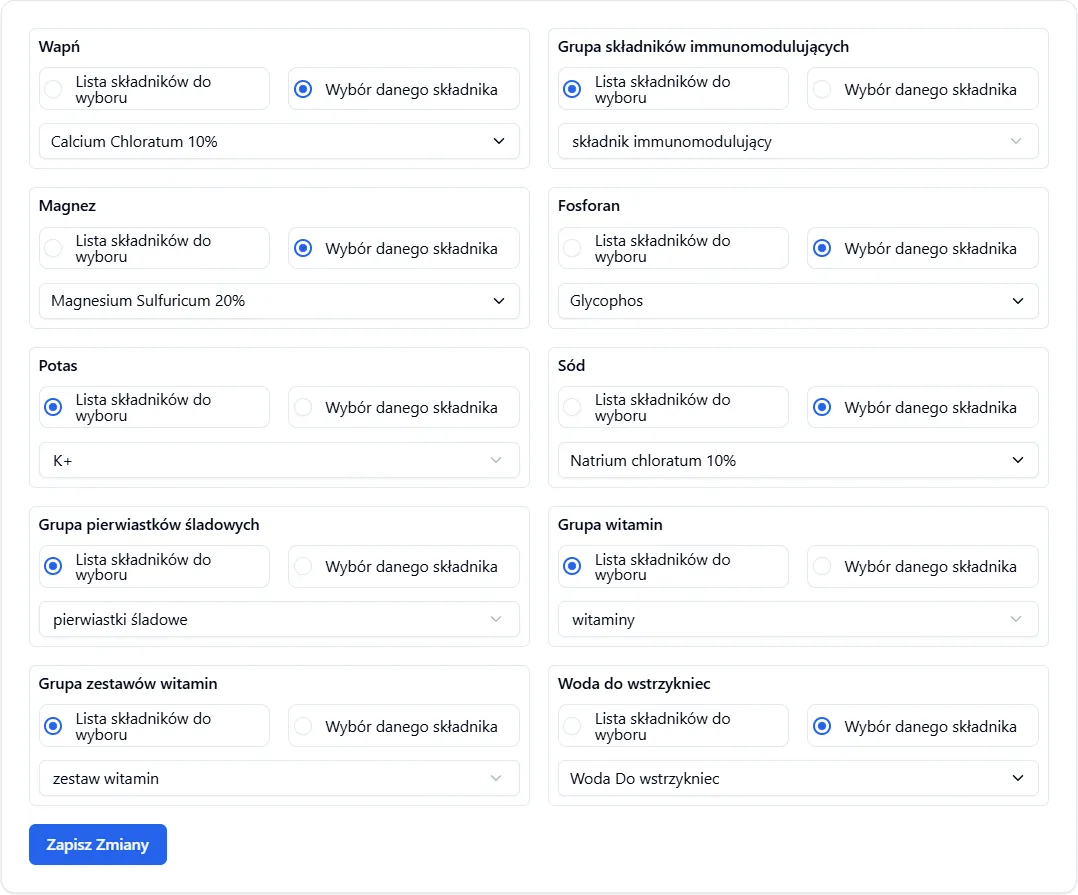
Each prescription type has unique fields that can be configured. These fields can be:
- Ingredient fields - where a specific ingredient is assigned (e.g. Potassium)
- Ingredient group fields - where a group containing multiple ingredients is assigned (e.g. Trace elements group)
Field types in configuration
Section titled “Field types in configuration”| Field type | Description | Example |
|---|---|---|
| Ingredient field | Assigning a specific ingredient to a field on the prescription | Potassium → Potassium chloride |
| Group field | Assigning an ingredient group - all ingredients from the group will be displayed | Trace elements → trace elements group |
View in Application
Section titled “View in Application”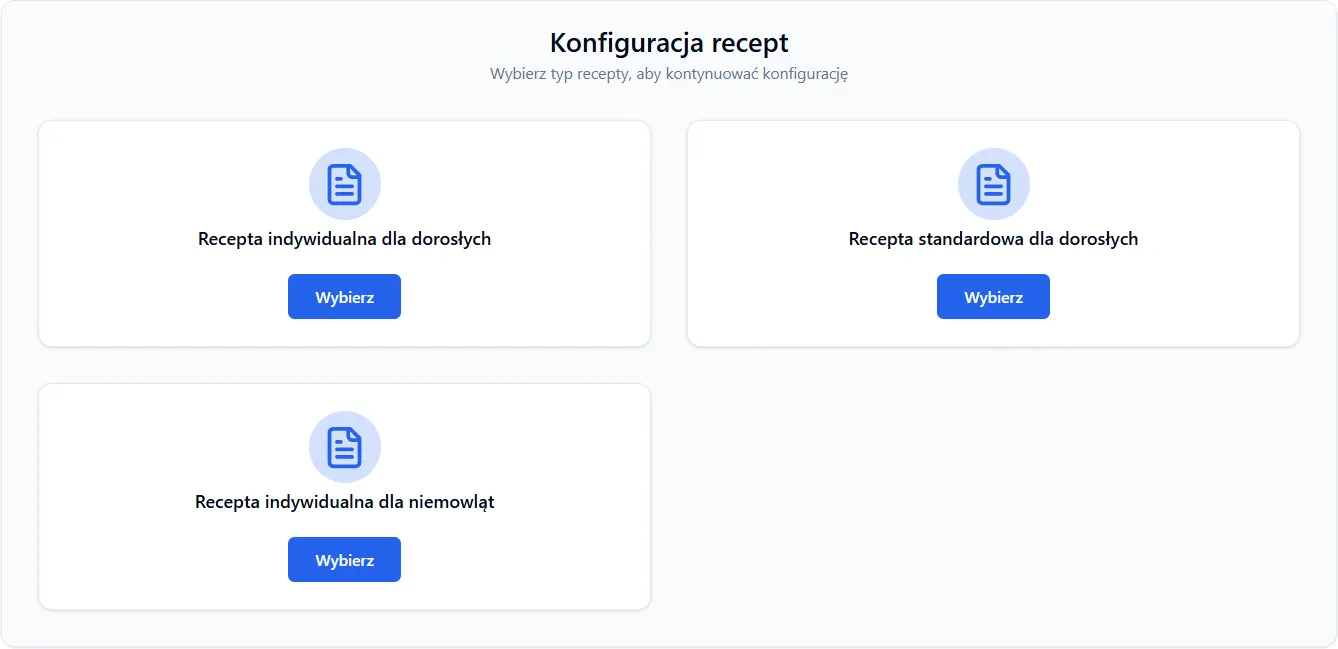
Example RDS prescription configuration in the application:
Important Information
Section titled “Important Information”-
Fields are unique to each prescription type - configuring one type does not affect the others. Each of the five types has an independent configuration.
-
Configuration changes affect new prescriptions - if you change the configuration, the changes will be visible in new prescriptions. Existing prescriptions remain unchanged.
-
Groups vs. Ingredients - group fields can contain multiple ingredients. All ingredients from the assigned group will be displayed on the prescription. Ingredient fields contain exactly one ingredient.
Frequently Asked Questions
Section titled “Frequently Asked Questions”What happens if I change a prescription’s configuration?
Changes will affect all new prescriptions of this type. Existing prescriptions remain unchanged - if you need to change an old prescription, you can edit it manually.
Can I assign one ingredient to multiple prescription types?
Yes - the same ingredient can be assigned to fields in different prescription types (RNI, RNT, RDI, RDS, RDT). Each type has an independent configuration.
What should I do if an ingredient is missing in the system?
Go to the Management → Ingredients section and add the missing ingredient. Then return to the prescription configuration and assign it to the appropriate field.